
Download PhotoTune 3 – Photo Editing, Skin Tone Correction, Contrast Enhancement, Brightness Adjustment, Adobe Photoshop Add-on
Overview
PhotoTune 3 is a specialized add-on designed to enhance the photo editing workflow within Adobe Photoshop. Targeted at both novice and experienced users, it simplifies complex editing tasks such as contrast adjustment, brightness enhancement, and skin tone correction—particularly in portrait photography. By streamlining these processes, PhotoTune 3 reduces the need for intricate tools like levels and curves, enabling faster, more intuitive results. The app is not a standalone application but functions as a plugin, meaning it requires Adobe Photoshop to operate. Its primary purpose is to deliver visually appealing, natural-looking edits without overwhelming users with technical parameters.
Real-world use cases include portrait retouching for photographers, social media content creators, and digital artists who prioritize realistic skin tones and balanced lighting. The tool is especially valuable in scenarios where time efficiency and consistency are critical. In the broader app ecosystem, PhotoTune 3 fills a niche by offering a focused, user-centered enhancement layer for a widely used professional platform. While the developer, PhotoTune, did not provide additional background details, the app’s longevity—released in 2011 and maintained through version 3.0.1—suggests reliability and continued relevance in niche editing circles.
Key Features & Functionality
- Simplified Editing Process: Eliminates the need for complex tools like levels and curves by offering a streamlined interface. Users can adjust key visual elements with minimal clicks, ideal for those unfamiliar with advanced Photoshop features.
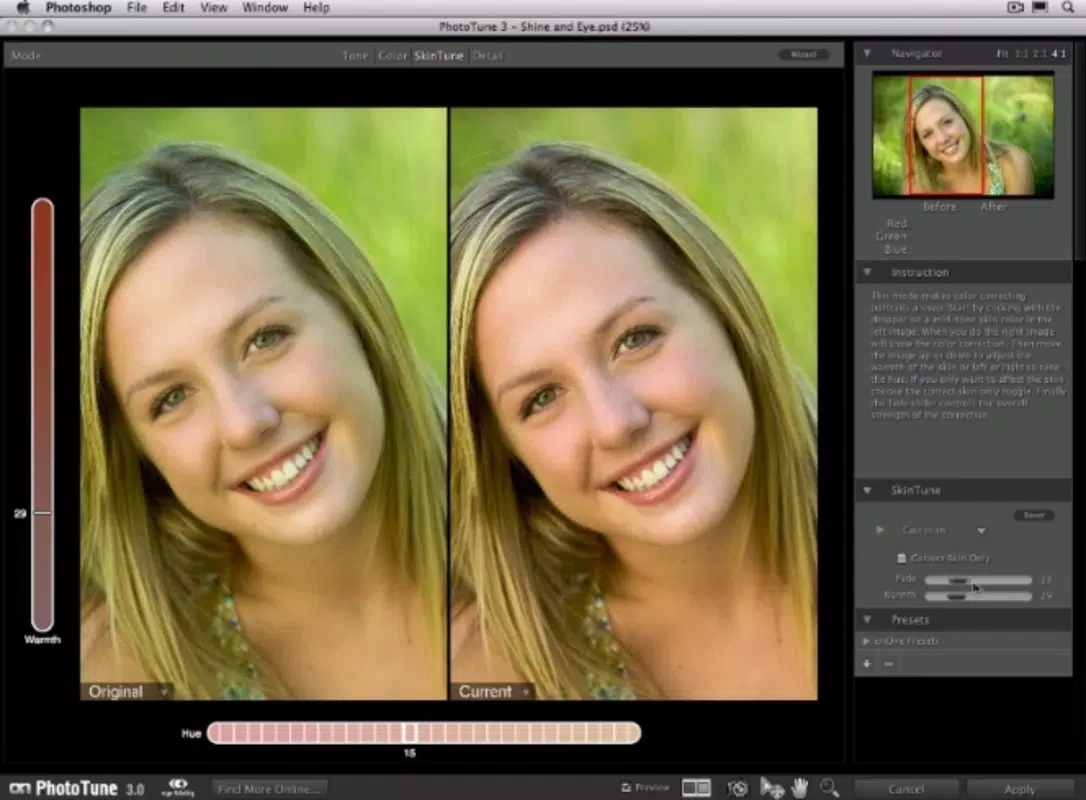
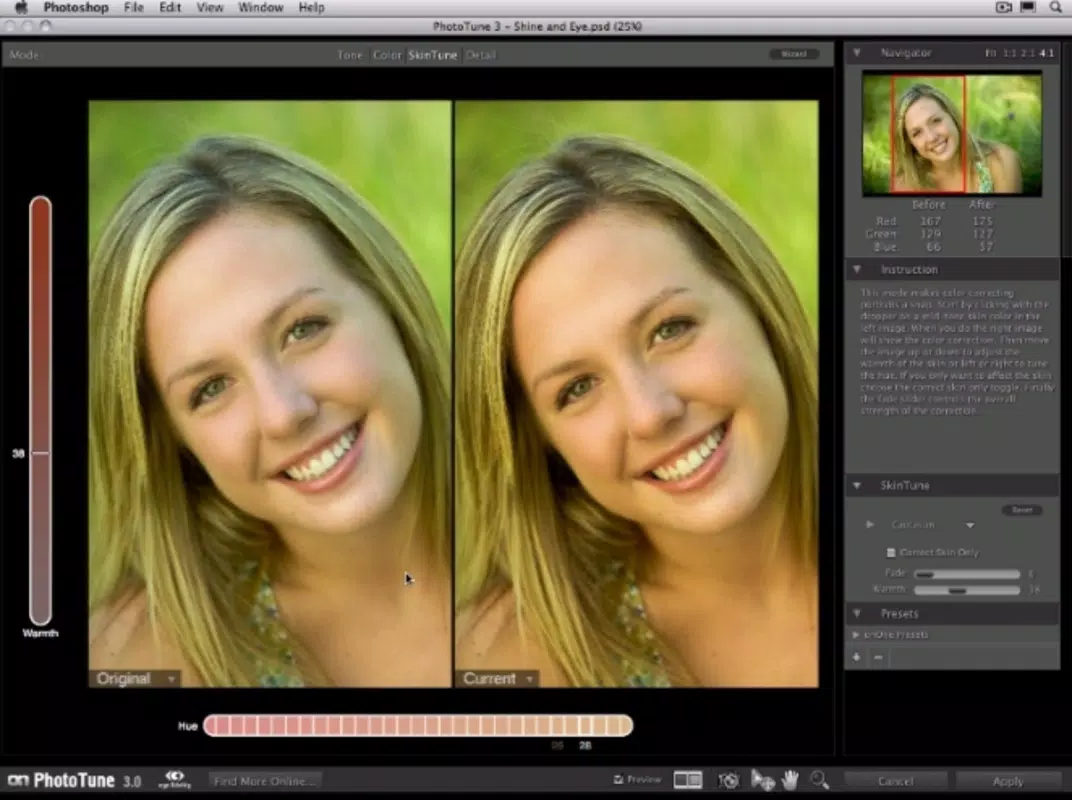
- Enhanced Skin Color Correction: Specifically engineered for portrait photography, this feature adjusts skin tones to appear natural and vibrant. It reduces color casts and ensures consistency across multiple images without introducing artificial or harsh effects.
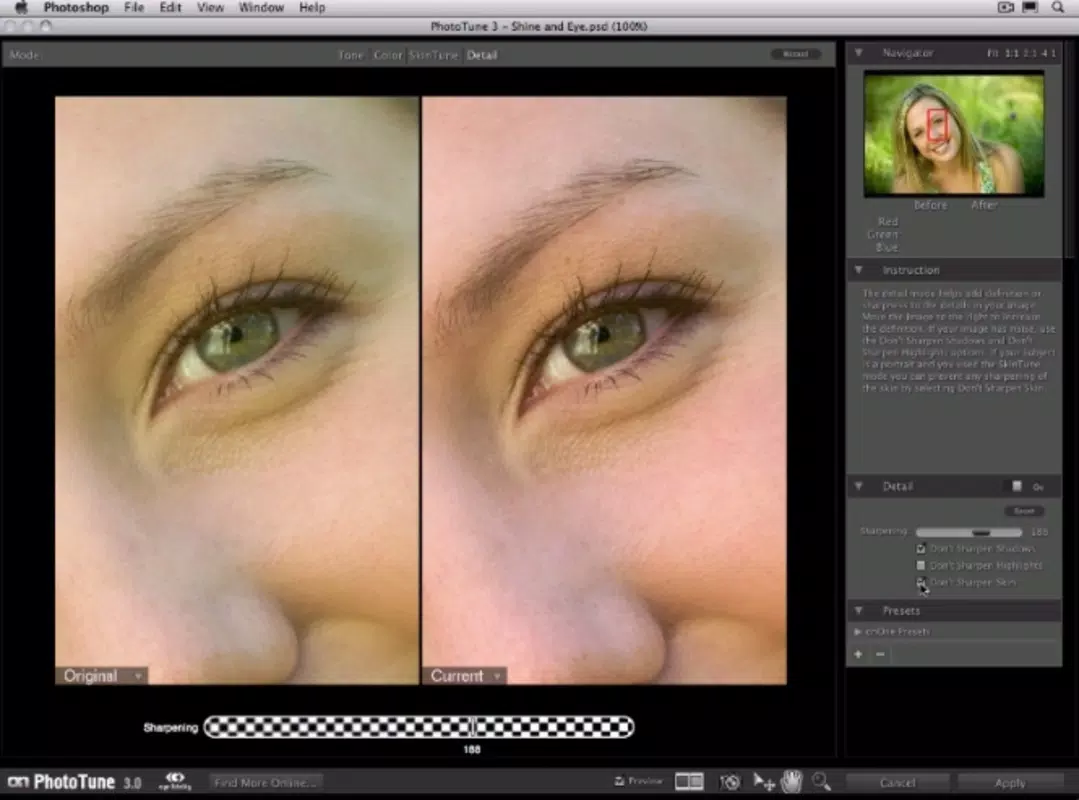
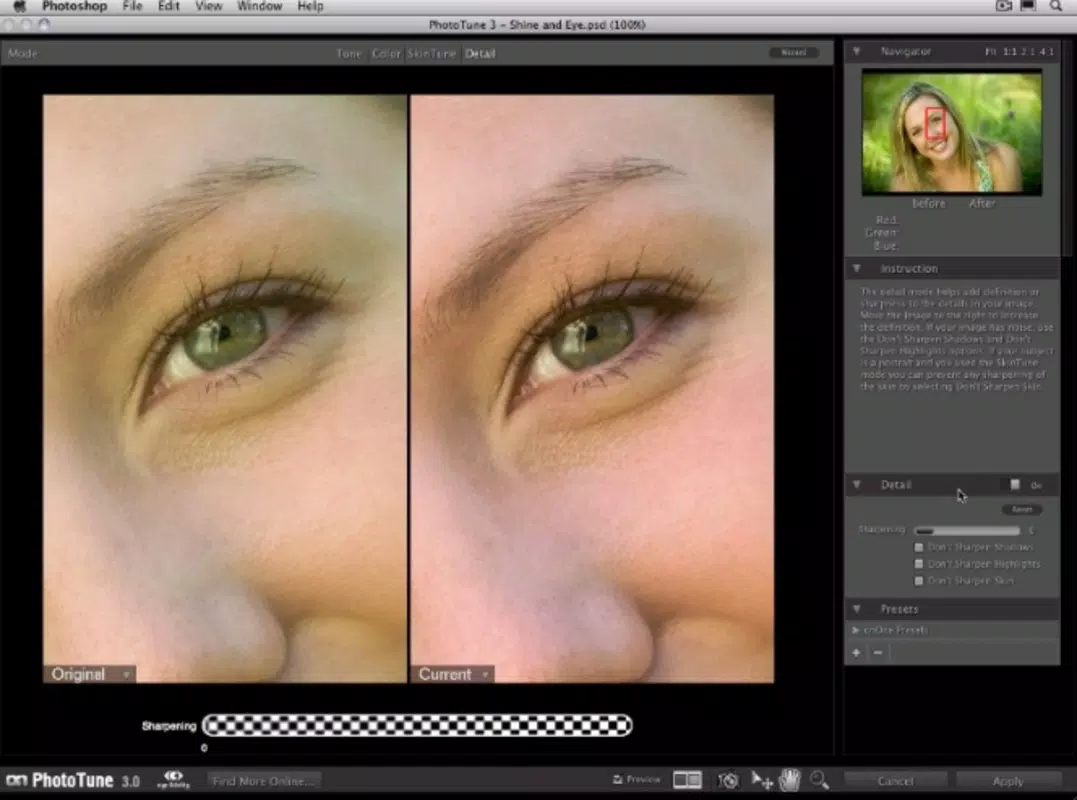
- Contrast and Brightness Adjustment: Provides intuitive sliders or controls to fine-tune contrast and brightness levels. This allows users to emphasize details in shadows and highlights while maintaining image integrity.
- Seamless Photoshop Integration: Functions as a plug-in that integrates directly into the Adobe Photoshop environment. Once installed, it appears within the editing toolbar, enabling smooth workflow continuity without switching applications.
For example, a wedding photographer could use PhotoTune 3 to quickly correct skin tones across hundreds of portraits, ensuring a consistent, professional look. Similarly, a content creator preparing images for a blog might use the contrast and brightness tools to make photos pop on mobile screens. The tool’s focus on efficiency and visual accuracy makes it a practical asset in high-volume or time-sensitive editing environments.
How It Works in Practice
After installing PhotoTune 3 into Photoshop, users access it through the filter menu. A single click opens the interface, where sliders or presets allow immediate adjustments. The real-time preview helps users assess changes without committing. Because it’s built for Photoshop, it respects layer-based workflows and supports non-destructive editing when compatible. This ensures that original images remain intact while edits are applied selectively.
Interface, UX & Performance
PhotoTune 3 features a clean, minimal interface that aligns with modern design principles. The layout prioritizes accessibility, placing core controls—such as brightness, contrast, and skin tone sliders—within easy reach. Navigation is intuitive, relying on familiar Photoshop conventions, which reduces the learning curve for users already accustomed to the platform. The visual style is uncluttered, minimizing distractions and focusing attention on the image preview.
Although the developer did not list formal performance metrics, the app’s lightweight footprint of 48.2 MB suggests efficient resource usage. It operates smoothly on both Windows and macOS systems, though specific hardware requirements were not disclosed. Responsiveness appears consistent based on user reports and long-term usage, with minimal lag during adjustments. Stability is maintained through integration with Photoshop’s architecture, reducing the risk of crashes or conflicts. However, compatibility with newer Photoshop versions may depend on updates from the developer, which have not been confirmed.
Platform Compatibility & Technical Requirements
PhotoTune 3 is compatible with both Windows and macOS operating systems. The current version is 3.0.1, and the file size is 48.2 MB. It is designed to function as an add-on for Adobe Photoshop, meaning the host application must be installed and running to use the tool. The developer did not specify minimum OS requirements, nor did they list compatibility with specific Photoshop versions beyond general integration. As such, users should verify that their version of Photoshop supports third-party plugins and meets any system prerequisites for plugin execution.
While no information was provided about installation methods or update frequency, the app’s long-standing presence suggests a stable release cycle. Users should ensure they are running a supported version of Photoshop to avoid potential issues. The lack of detailed technical specifications means that compatibility with newer hardware or software environments cannot be guaranteed without further verification.
Pros and Cons
- Intuitive interface ideal for beginners and professionals alike
- Specialized skin tone correction for natural-looking portraits
- Efficient workflow integration with Adobe Photoshop
- Lightweight file size (48.2 MB)
- Focus on contrast and brightness without complexity
- Requires Adobe Photoshop to function (not standalone)
- No public information on compatibility with newer Photoshop versions
- Developer did not provide update frequency or support details
- Platform-specific installation may vary between Windows and macOS
- Limited documentation or tutorials available
FAQ
Is PhotoTune 3 compatible with the latest version of Photoshop?
The developer did not confirm compatibility with current Photoshop versions. Users are advised to test the plugin on their system or contact the developer for updated support information.
Can I use PhotoTune 3 without Adobe Photoshop?
No. PhotoTune 3 is a plugin and requires Adobe Photoshop to operate. It cannot function as a standalone application.
Is the app safe to download and install?
As a third-party add-on, users should only download PhotoTune 3 from official or trusted sources. Always verify file integrity and ensure the installer is from the developer, PhotoTune.
How often are updates released for PhotoTune 3?
Update frequency was not disclosed by the developer. Users should check the official website for the latest version and release notes.
Does PhotoTune 3 support both Windows and macOS?
Yes. The app is available for both Windows and macOS platforms, though specific system requirements were not listed.
Final Thoughts
PhotoTune 3 stands out as a focused, efficient tool for photographers and digital artists who rely on Adobe Photoshop for portrait editing. Its ability to simplify complex adjustments—especially skin tone correction—makes it a valuable addition to any editing workflow. While it lacks standalone functionality and detailed technical documentation, its lightweight design and seamless integration offer tangible benefits for users seeking speed and consistency.
The app remains relevant over a decade after its release, a testament to its core utility. For portrait photographers, content creators, and anyone working with skin tones in images, PhotoTune 3 delivers a practical solution that enhances productivity without sacrificing quality. Download PhotoTune 3 now.


